Experimental Chromium Web Platform Features
Experimental web platform features are not yet part of the official web platform specifications and are marked as “experimental” in Chromium.
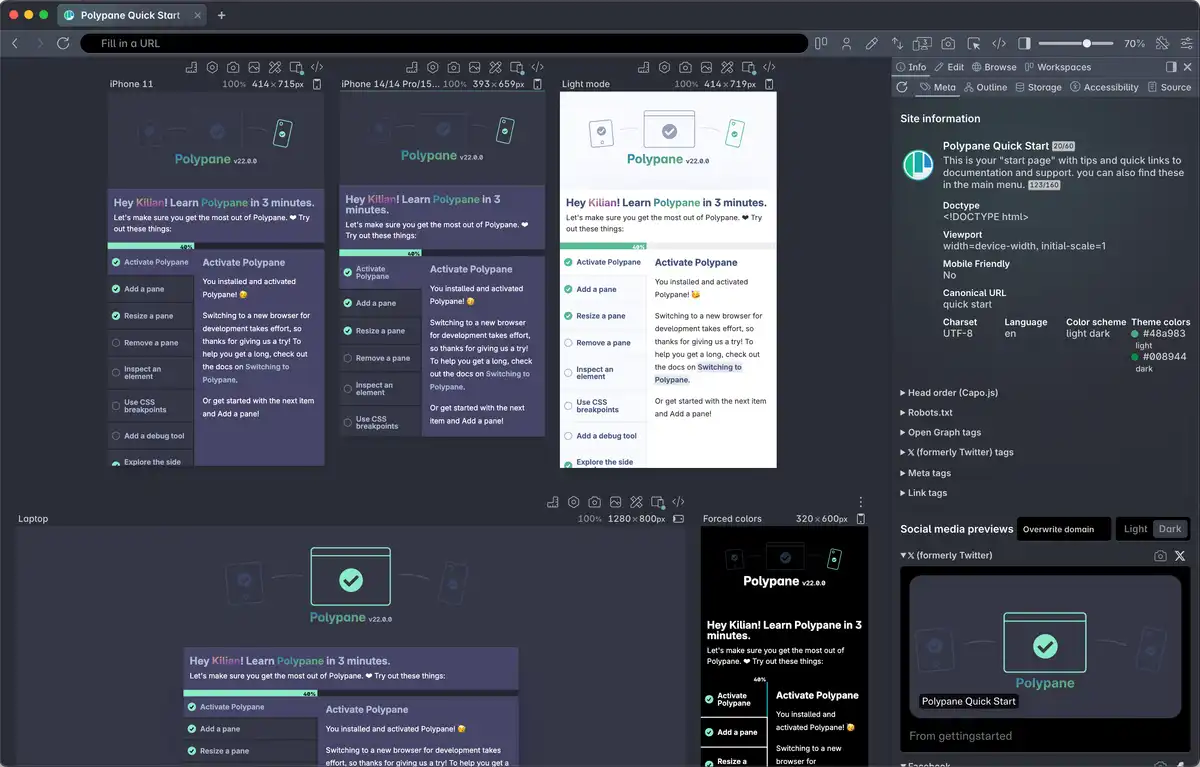
Polypane ships with these features (and more) enabled by default. Other Chromium browsers let you enable these on a “flags” settings page.
Added in Chromium 146 BetaPolypane 28.0.3
▹ Audio Context Playback Stats
AudioContextPlaybackStatschromestatus.comThis feature adds an AudioContext.playbackStats attribute which returns an AudioPlaybackStats object. This object provides audio playback statistics such as average latency, minimum/maximum latency, underrun duration, and underrun count. This API allows web applications to monitor audio playback quality and detect glitches. Note: This feature was previously tracked as AudioContext.playoutStats. It has been renamed to AudioContext.playbackStats to align with the final Web Audio API specification. The old name is supported as a deprecated alias for backward compatibility.
▹ Margin Trim
MarginTrimchromestatus.comThe `margin-trim` CSS property may be used to omit margins before or after the first or last child of a container. This is supported on regular block containers, in addition to flex, grid, and multicol containers. https://drafts.csswg.org/css-box-4/#margin-trim This is somewhat similar to the effect caused by the margin quirk that is applied to P, H1, H2... elements inside BODY and table cell elements (in quirks mode), but more powerful, generic, and expressive.
▹ Module Preload Style Json
ModulePreloadStyleJsonchromestatus.comAdds support for JSON and style module types as <link rel="modulepreload"> destinations. <link rel="modulepreload"> is already supported in Chromium (see https://chromestatus.com/feature/5762805915451392), but it currently only supports preloading script-like module scripts. This feature addresses a functionality gap, as JSON and CSS module scripts are supported in Chromium elsewhere but are not supported as <link rel="modulepreload"> destinations. Style modules can be preloaded with <link rel="modulepreload" as="style" href="..."> and JSON modules can be preloaded with <link rel="modulepreload" as="json" href="...">.
▹ Web App Scope System Accent Color
WebAppScopeSystemAccentColorchromestatus.comCurrently, if the `accent-color` property for form controls are set to `auto`, they adopt the system accent color set by the user in their operating system. This happens in all contexts whether on the web or in an installed web application. Current feature state: https://chromestatus.com/feature/6548224737017856 AccentColor and AccentColorText CSS keywords, which also adopt the system accent color, pose a significant fingerprinting vector if exposed widely on the web. As such, they're currently planned to only be available in installed web app contexts. We want system accent color exposure to match across all vectors, so we should scope `accent-color: auto` to only be available in installed web app contexts as well. This introduces more consistent developer and user expectations for system colors and aligns with fingerprinting restrictions for AccentColor[Text].
▹ Web Audio Configurable Render Quantum
WebAudioConfigurableRenderQuantumchromestatus.comAudioContext and OfflineAudioContext now take an optional renderSizeHint, which allows users to ask for a particular render quantum size when an integer is passed, to use the default of 128 frames if nothing or "default" is passed, or to ask the User-Agent to pick a good render quantum size if "hardware" is specified.
▹ Web Authentication Immediate Get
WebAuthenticationImmediateGetchromestatus.comA new mode for navigator.credentials.get() that causes browser sign-in UI to be displayed to the user if there is a passkey or password for the site that is immediately known to the browser, or else rejects the promise with NotAllowedError if there is no such credential available. This allows the site to avoid showing a sign-in page if the browser can offer a choice of sign-in credentials that are likely to succeed, while still allowing a traditional sign-in page flow for cases where there are no such credentials.
- All Images Painted Sent To Element Timing
AllImagesPaintedSentToElementTimingAudio Context Async State TransitionsAudioContextAsyncStateTransitionsCSS Contrast ColorCSSContrastColorCSS Supports Named Feature FunctionCSSSupportsNamedFeatureFunctionCSS Timeline Scope AllCSSTimelineScopeAllDisable Ellipsis When ScrolledDisableEllipsisWhenScrolledLogin ElementLoginElementLong Animation Frame Style DurationLongAnimationFrameStyleDurationNavigate Event Defer Cross Document CommitNavigateEventDeferCrossDocumentCommitProgress Max Is PositiveProgressMaxIsPositiveSvg Text Path Path AttributeSvgTextPathPathAttribute
Added in Chromium 145 current
▹ Autofill Event
AutofillEventchromestatus.comAutofill is a key feature of the web that reduces friction for millions of users everyday. But getting autofill to work reliably with dynamic forms across multiple implementations requires jumping through many hoops. This feature adds an "autofill" event that would allow developers to modify their forms to fit the autofilled data and let the browser know when they have done so.
▹ Container Name Only
ContainerNameOnlychromestatus.comA CSS query container can be queried based on its container-name only, and the container does not need any container-type set: <style> #container { container-name: --foo; } @container --foo { input { background-color: green; } } <style> <div id="container"> <div><input></div> </div> Previously, @container required some query in addition to the name.
▹ CSS Grid Lanes Layout
CSSGridLanesLayoutchromestatus.comCSS Grid-Lanes is a layout module where items of varying heights are arranged in columns, filling gaps to create a seamless grid, similar to a brick wall, perfect for accommodating elements with varying aspect ratios. Unlike CSS Grid, Grid-Lanes is better suited for one-dimensional flow layouts, like image galleries, where the focus is on filling the space efficiently rather than aligning items along both axes. Grid-Lanes provides greater design freedom, enabling the creation of dynamic, responsive layouts that adapt to content variations without the need for manual adjustments or a non-standard JavaScript implementation.
▹ Navigate Event Add Handler On Precommit
NavigateEventAddHandlerOnPrecommitchromestatus.comCurrently when intercepting navigations with the `navigate` event, precommitHandlers and post-commit ordinary handlers are passed separately. This works well when there is only one or the other, but can be a bit clunky when the flow includes a precommitHandler that leads to a post-commit handler. This addition is a small ergonomic improvement that enables registering a post-commit handler while invoking a precommit handler.
▹ Text Scale Meta Tag
TextScaleMetaTagchromestatus.comMakes the root element's default font size scale in proportion to both the operating system's and browser's text scale setting. This allows pages that follow best practices around font-relative units (i.e. use rem and em for font sizes and page elements that should change with the user's text size preferences) to respect the user's OS-level text scale setting. This also causes the browser to disable existing browser-based mechanisms (i.e. full-page zoom on windows) and heuristics (i.e. text autosizing on mobile). Now web developers can signal to the browser that the page is constructed in a way (i.e. with rem and em) that will scale well across various user-selected font size preferences. Similar to env(preferred-text-scale), which provides authors with a way to access the text scale; this API extends that by enabling scaling via the root element's default font size and opting-out of automatic text scaling.
▹ WebGPU Transient Attachment
WebGPUTransientAttachmentchromestatus.comFunctionality added to the WebGPU spec after its first shipment in a browser. A new TRANSIENT_ATTACHMENT GPUTextureUsage lets developers create attachments that allow render pass operations to stay in tile memory, avoiding VRAM traffic and potentially avoiding VRAM allocation for the textures.
- CSS Animation Iteration Composite
CSSAnimationIterationCompositeCSS Lang Extended RangesCSSLangExtendedRangesCustomizable ComboboxCustomizableComboboxPerformance Mark Custom User Timing From SubframePerformanceMarkCustomUserTimingFromSubframeSet HTML Can Run ScriptsSetHTMLCanRunScriptsWebGPU Map Sync On WorkersWebGPUMapSyncOnWorkersWebGPU Multithread Dawn Wire On WorkersWebGPUMultithreadDawnWireOnWorkersXML Rust For Non XsltXMLRustForNonXslt
Added in Chromium 144
▹ Cookie Store API Max Age
CookieStoreAPIMaxAgechromestatus.comAllows callers to specify a `maxAge` when setting a cookie with the Cookie Store API. Cookie expiry time is already configurable using the `expires` attribute, but `maxAge` provides a more idiomatic option and aligns the Cookie Store API with the options provided by `document.cookie` and the `Set-Cookie` HTTP Header.
▹ Declarative CSS Modules
DeclarativeCSSModuleschromestatus.comDeclarative CSS Modules Scripts are an extension of the existing script-based CSS Module Scripts. They allow for developers to share declarative stylesheets with shadow roots, including declarative shadow roots. Developers can define inline style modules with <style type="module" specifier="foo"> and apply a declarative module to a declarative shadow DOM by referencing specifier or a URL, such as <template shadowrootmode="open" shadowrootadoptedstylesheets="foo">.
▹ Emoji Monochrome Rendering
EmojiMonochromeRenderingchromestatus.comThis change updates Chromium’s emoji rendering behavior in Forced Colors Mode. During computed-value resolution, emoji whose font-variant-emoji value computes to normal or unicode are rendered using their monochrome glyphs when available. Chromium will therefore suppress color emoji rendering, which ensures emojis fully participate in the Forced Colors Mode pipeline and respect system high-contrast colors. Behavior outside forced colors mode is unchanged.
▹ Gamepad Raw Input Change Event
GamepadRawInputChangeEventchromestatus.comThis proposal extends the Gamepad API with a new event-driven model that enables applications to receive gamepad input with lower latency. Instead of relying on frequent polling via navigator.getGamepads(), developers can now listen for a rawgamepadinputchange event, which fires whenever new input data is available from the device. This allows for more responsive input handling, particularly in latency-sensitive applications.
▹ Install Element
InstallElementchromestatus.comAllows a website to declaratively prompt users to install a web app. The element optionally accepts two attributes which allows installation of content from a different origin.
▹ Prerender Activation By Form Submission
PrerenderActivationByFormSubmissionchromestatus.comThis extends speculation rules syntax to allow developers to specify the form_submission field for prerender. This field directs the browser to prepare the prerender as a form submission, so that it can be activated by real form submission navigations. Examples include a simple search form which results in a /search?q=XXX GET request navigation, support of which has been requested by web developers.
▹ Prerender Until Script
PrerenderUntilScriptchromestatus.comThis extends speculation rules to introduce a new action called prerender_until_script. It is designed as an intermediate option between the existing prefetch (which only fetches the main document) and prerender (which fully renders the page and runs all scripts). This new action will fetch and parse a page, discover and download its subresources like images and stylesheets, but will pause all script execution. When the user navigates to the page, it activates, and all the deferred scripts are then executed in order. This allows for a near-instant page load for content-heavy sites without the performance cost or side effects of running analytics or third-party scripts prematurely.
▹ User Media Element
UserMediaElementchromestatus.comUsermedia Capability Element, is a declarative, user-activated control for accessing the starting and interacting with media streams. This addresses the long-standing problem of permission prompts being triggered directly from JavaScript without a strong signal of user intent. By embedding a browser-controlled element in the page, the user's click provides a clear, intentional signal. This enables a much better prompt UX and, crucially, provides a simple recovery path for users who have previously denied the permission. Note: This feature was previously developed and tested in an Origin Trial as the more generic <permission> element. Based on feedback from developers and other browser vendors, it has evolved into capability-specific elements to provide a more tailored and powerful developer experience.
- Cache Control RFC7234 Parsing
CacheControlRFC7234ParsingCache Control RFC7234 Parsing MetricsCacheControlRFC7234ParsingMetricsCSS Counter Reset ReversedCSSCounterResetReversedCSS List Counter AccountingCSSListCounterAccountingHsts Top Level Navigations OnlyHstsTopLevelNavigationsOnlyHTML Command For Scroll CommandsHTMLCommandForScrollCommandsResponsive IframesResponsiveIframesScroll Timeline Named Range ScrollScrollTimelineNamedRangeScrollSmaller Viewport UnitsSmallerViewportUnitsSvg Partition SVG Document Resources In Memory CacheSvgPartitionSVGDocumentResourcesInMemoryCacheWeb Authentication Ui ModeWebAuthenticationUiModeWebGPU Immediates FeatureWebGPUImmediatesFeature
Build your next project with Polypane
- Use all features on all plans
- On Mac, Windows and Linux
- 14-day free trial – no credit card needed