Documentation
Learn how Polypane improves your workflow
Visual regression testing
Polypane gives you several tools to catch visual regressions across breakpoints without setting up an external service. This walkthrough covers a manual visual regression workflow you can run during development.
1. Set up your breakpoints
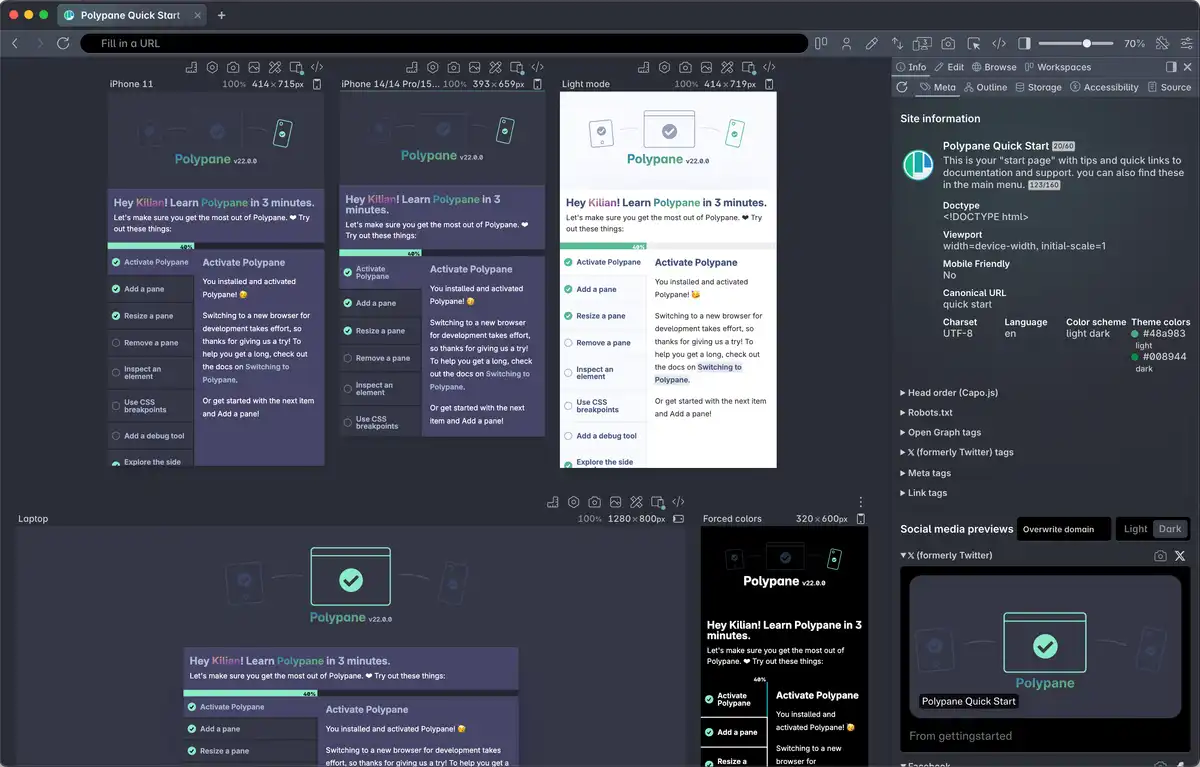
Open the page you are working on and create a pane for each breakpoint you want to cover. Use the Breakpoints button to generate panes from your CSS breakpoints automatically, or add specific widths manually.
2. Take baseline screenshots
Before making changes, capture viewport screenshots of all our panes by right-clicking the camera icon in the address bar and "all viewports" or "all full page". These screenshots serve as your baseline for comparison after making changes.
3. Make your changes and compare
After making changes, use the Reference image feature to overlay a baseline screenshot on top of a pane. Click the photo icon in the pane header and select your baseline image.
With the overlay active you have three comparison modes:
- Normal — fades between the baseline and the current state with a slider
- Difference — highlights pixels that differ from the baseline, similar to a visual diff
- Invert — inverts the reference image, making differences stand out
The split-view slider lets you scrub across the pane to compare sections side by side. Use this to catch layout shifts, color changes, spacing changes, or text reflow at any breakpoint.
You can set up a different baseline image on each pane, so you can compare multiple breakpoints in parallel.
4. Document the results
Once satisfied, take a new overview screenshot as a record of the current state.
Use Recording to capture a short video walkthrough of an interaction or animated state, which you can attach to a bug report, pull request or design review.
See also
- Reference image to overlay and compare images over a pane
- Making screenshots to capture panes individually or all together
- Web Vitals for CLS and other performance metrics
- Recording to capture a video of a pane
- Breakpoints to generate panes from your CSS breakpoints
Have a question about Polypane?
Reach out via (real human) chat, Slack or our contact form:
Contact SupportBuild your next project with Polypane
- Use all features on all plans
- On Mac, Windows and Linux
- 14-day free trial – no credit card needed