Documentation
Learn how Polypane improves your workflow
Pitching Polypane
Getting buy-in for a new dev tool usually comes down to a few practical questions. Here are the ones that come up most when teams assess Polypane and how to address them.
Common objections
"Our current browser setup works fine"
The gap isn't what the browser can do, it's what doesn't happen automatically. Mobile checks, accessibility audits, and meta tag reviews all take separate effort, so they get skipped.
A problem caught while the code is still open takes a minute to fix. The same bug caught in QA means someone needs to create a ticket and a developer needs to context switch back to finished work, and someone needs to do a additional review. If the bug is only caught after the project is deployed, now it's an emergency. Polypane surfaces these issues during development, so they're fixed before they become bugs.
Polypane puts all of these checks in one place, always on. Multiple viewports are visible at the same time, the accessibility panel surfaces issues as you work, and meta information is one click away. Teams using Polypane typically see an order of magnitude less post-deployment patch-up work.
"It would be too disruptive to switch right now"
Polypane runs alongside your existing browser, not instead of it. Install the browser extension to send any tab to Polypane with one click, or configure your dev server to open localhost URLs in Polypane automatically.
There's no migration. If the multi-pane layout feels like too much at first, start with a single-pane view using the Chromium devtools you already know. When the team is ready, one person configures a shared project with the right viewports and environments so everyone loads the same setup with one click.
Switching tools is a one-time adjustment. A QA cycle catching something that should have been caught earlier is a recurring cost.
"We can do all this with extensions"
You can approximate most of what Polypane does by combining devtools resizing, responsive mode, Lighthouse, an accessibility extension, a contrast checker, a meta tag inspector, a screenshot annotation tool, a screen recorder, a JSON viewer, a device lab, a broken links monitor, a web vitals monitor, and more. Each of those tools exists and works.
What doesn't work as well is running them together. Checks happen one at a time, in a single viewport, in tools that don't share context. A layout that looks fine at 1280px might break at 375px, but you won't see both at once. Because each check takes effort to run, they happen at the end of a task rather than during it, which is when issues get found and are more expensive to fix.
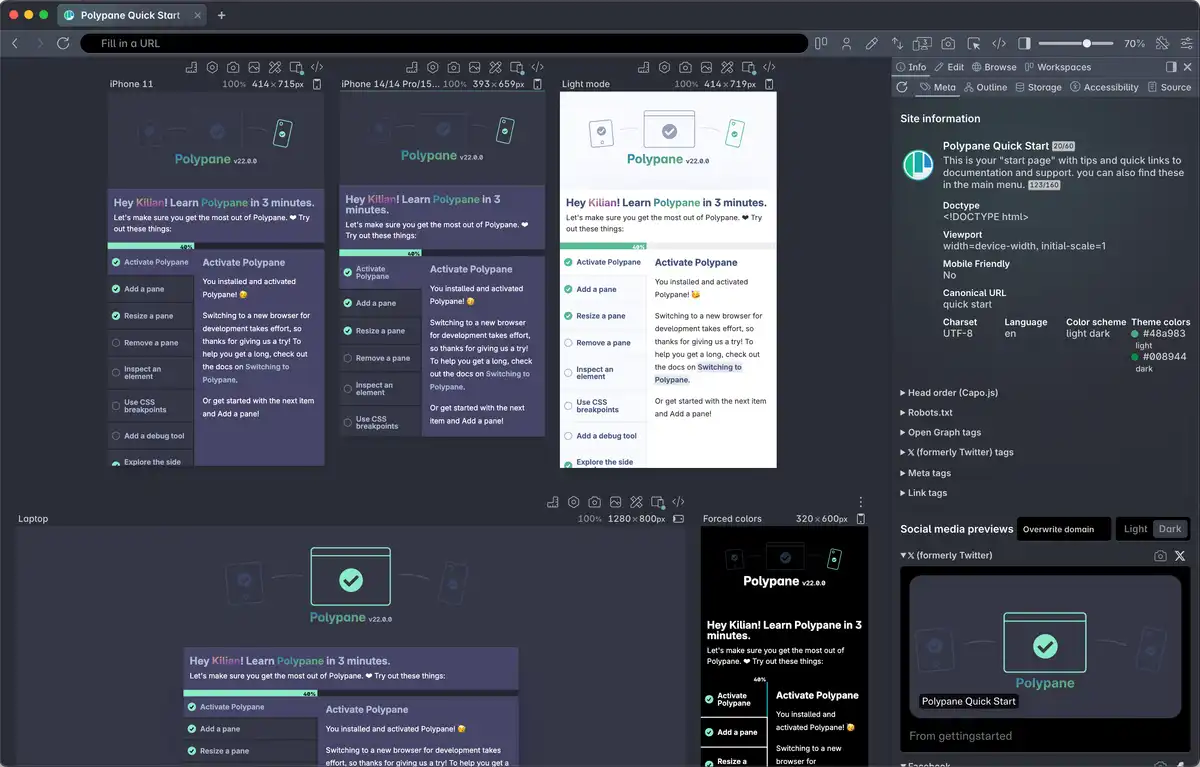
Polypane shows everything side by side while you work, so problems that only appear at certain sizes or under specific conditions are visible without going looking for them.
"Our site doesn't need to be responsive"
Responsiveness is the most visible reason to use Polypane, but not the only one. A fixed-layout site still needs to work at different text sizes, in dark mode, with high contrast settings, with images disabled, and for users who rely on assistive technology. All of those conditions are easy to skip for the same reason mobile checks are. The emulation options, accessibility panel, debug tools and meta information panel apply to any site.
"We have a QA team for this"
The goal isn't QA finding issues, it's QA not finding them. When QA is where most problems surface, every fix requires a ticket, a context switch back to finished work, a re-review, and often a delayed release.
A developer who spots a layout issue while writing CSS fixes it in seconds. The same issue found by QA takes a full cycle to triage, reproduce, and fix. Found after deployment, it's an incident: unplanned work, a rushed fix, and a re-deploy.
QA time spent catching things that should have been caught earlier is expensive and wasteful. Polypane doesn't replace QA. It means QA can focus on things that genuinely need human judgement.
"Our design system handles responsiveness"
A design system provides the building blocks, and a tool like Storybook helps review them in isolation. Neither can guarantee the blocks are assembled correctly in context with real content at real sizes. Components get combined in ways the design system didn't anticipate, long strings overflow, and a nav that works with five items breaks with eight. That's an integration problem that only shows up on real pages with real content.
Polypane surfaces these during development, at the sizes and conditions where they actually occur.
"We already use BrowserStack or Sauce Labs"
These tools test finished work across real browsers and devices. Polypane is for during development, while you're still writing and iterating.
Online device labs tell you whether your finished work renders correctly in Safari on iOS. Polypane surfaces layout issues, contrast failures, and structural problems while you're building them. Finding those things in BrowserStack means revisiting work that's already done.
"Polypane uses Chromium, so it won't catch real browser differences"
That's true, and we say so on the homepage. Polypane is built on Chromium and won't surface bugs that only appear in Firefox or Safari. You always need to test in multiple rendering engines.
Portal helps here: it shares your local dev server via a URL you can open in any browser or device and control them from inside Polypane, so you can spot-check other engines without switching your primary workflow.
Most issues that make it to deployment aren't engine-specific bugs. They're things nobody checked during development because checking was inconvenient. That's what Polypane catches.
"It costs too much"
At most team hourly rates, the licence pays for itself with 15 minutes saved per developer per month. That's less time than it takes a QA team to reproduce and file a single bug (a bug that Polypane would probably have caught during development). Use the ROI calculator to work out the number for your team's hourly rate.
A post-deployment bug requires someone to report it, a developer to context-switch back to finished work, and a fix to be reviewed and deployed. That sequence can cost more than an annual licence, and it only needs to happen once or twice a year to make the numbers clear.
If cost approval is the blocker, the sales and procurement page has the information your finance team will need.
"IT or security won't approve another browser"
Polypane is in use at some of the largest organisations in the world. The logos on our homepage give a sense of the companies it's already approved at. If it's cleared their security review, it's likely to clear yours. The IT and security page has more information your team might want. The sales and procurement page has company information and answers to common vendor onboarding questions. For enterprise customers, a SIG lite assessment and vendor onboarding are available.
If there are specific questions not covered there, reach out and we'll help directly.
Next steps
The easiest way to make the case is to show results. Start a free trial with a few colleagues, follow the quick start, and open a project you're already working on. Take an hour and see what Polypane surfaces.
Switching to Polypane has tips for making the transition smooth.
Have a question about Polypane?
Reach out via (real human) chat, Slack or our contact form:
Contact SupportBuild your next project with Polypane
- Use all features on all plans
- On Mac, Windows and Linux
- 14-day free trial – no credit card needed