Documentation
Learn how Polypane improves your workflow
Team workflows
Polypane fits into team development processes in several ways: sharing local work for review, keeping viewport setups consistent across the team, testing multiple user accounts simultaneously, and generating output to share with designers and stakeholders.
Sharing local work for review
Polypane Portal lets you share your local development server with anyone on your network or via a public URL, without publishing your work. Connected browsers receive your interactions in real-time, so you can scroll, click and demonstrate features while a reviewer follows along in their own browser.
Useful scenarios:
- Design review Show a designer the current state of a feature before it merges
- Stakeholder sign-off Let a client see work in progress without a staging deploy
- Cross-browser checks Open the portal URL in Safari, Firefox, or on a mobile device to test rendering in other engines while Polypane stays in sync

Keeping viewport setups consistent
Save your project configuration as a project. Projects store project name, bookmarks, environments and sessions. Export a project to share it with your team so everyone uses the same project configuration.
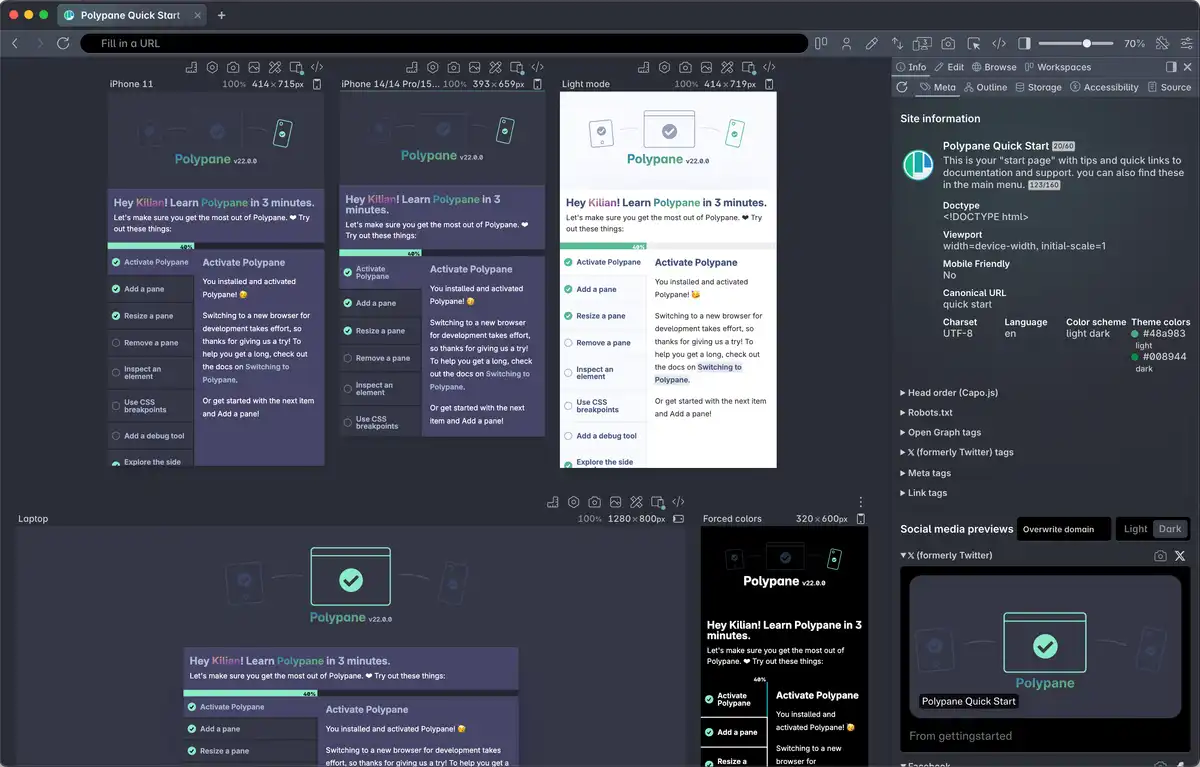
Use workspaces to save named pane sets you return to often, such as a "mobile + tablet + desktop" set or a "design handoff" set with specific widths your design system uses. These can be exported and shared with your team as well, so everyone can load the same workspace when they need it.
Both configurations are exported as plain-text JSON files. We recommend storing them in a shared place, like a repository, project management system or wiki.
Testing multiple user roles side by side
Use session management to create a separate session in each pane. Each session is an isolated browser context with its own cookies and local storage, so you can log in as different users at the same time. This makes it easy to compare what an anonymous visitor, a logged-in user, and an admin see in one view, without repeatedly logging in and out.

Sharing screenshots and recordings
Use overview screenshots to capture all panes in a single image. These work well as attachments to bug reports, design feedback threads, or pull request descriptions.
For animated states or interaction flows, use Recording to create a short video of a pane. This is useful for documenting a regression or demonstrating a feature to someone who can not join a live Portal session.

See also
- Polypane Portal to share local work across devices and browsers in real-time
- Projects to save and share viewport configurations
- Workspaces for named sets of panes
- Session management to test multiple user accounts side by side
- Making screenshots to capture all panes at once
- Recording to create a video of a pane
From the blog
- Capturing screenshots in Polypane: a full overview of the screenshot options and how to get the most out of them
- Checking webpage quality in 5 minutes with Polypane: how to do a fast quality pass across accessibility, performance and meta information
Have a question about Polypane?
Reach out via (real human) chat, Slack or our contact form:
Contact SupportBuild your next project with Polypane
- Use all features on all plans
- On Mac, Windows and Linux
- 14-day free trial – no credit card needed