Documentation
Learn how Polypane improves your workflow
Helper extension for other browsers
The Polypane helper extension makes it easy to open your current page or links in Polypane without having to copy and paste the URLs.
It will also automatically open Polypane for you if needed.
Get the extension
The extension is available for Chrome, Edge, Safari, Firefox and most Chromium-based browsers. You can install the extension directly from the various web stores:
- For Chrome & Chromium-based browsers, visit the Chrome Web Store.
- For Firefox, visit the Firefox Add-ons.
- For Safari, visit the App Store for Mac.
- For Edge, visit Microsoft Edge Add-ons.
Opening the current page in Polypane
The extension makes it easy to open the current page in Polypane:
- Click the Polypane icon in the toolbar
- Press ⌥ p on your keyboard

Depending on your browser, you might need to pin the extension to your toolbar to be able to click it. You can do this by clicking the puzzle piece icon in your toolbar and then pinning the Polypane helper extension.
Opening links in Polypane
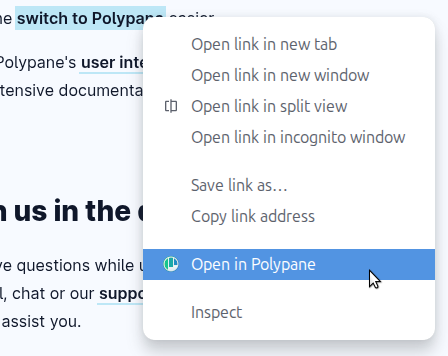
You can right-click any link and select "Open in Polypane" to open that link in Polypane.
Extension options
You can configure three different reminders for specific domains to make it easy to open them in Polypane, in order of increasing intrusiveness/automation:
Floating button

A small floating button in a configurable corner of the page that opens the current page in Polypane when clicked.
The button can be collapsed by clicking the arrow on it, and can be moved to a different corner by right-clicking the extension icon or by picking a corner in the Extension options.
Full page overlay
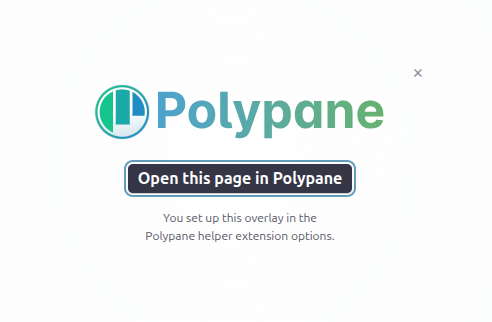
A full-page overlay that opens the current page in Polypane when clicked or when pressing Enter. Esc dismisses it.
Automatic
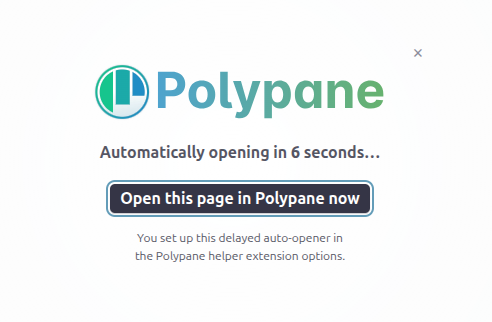
Automatically opens the current page in Polypane when you open it in your browser.
You can configure a delay before it opens, allowing you to press Enter to open it immediately, or cancel it by pressing esc. At the end of the timer, the page will be opened in Polypane.
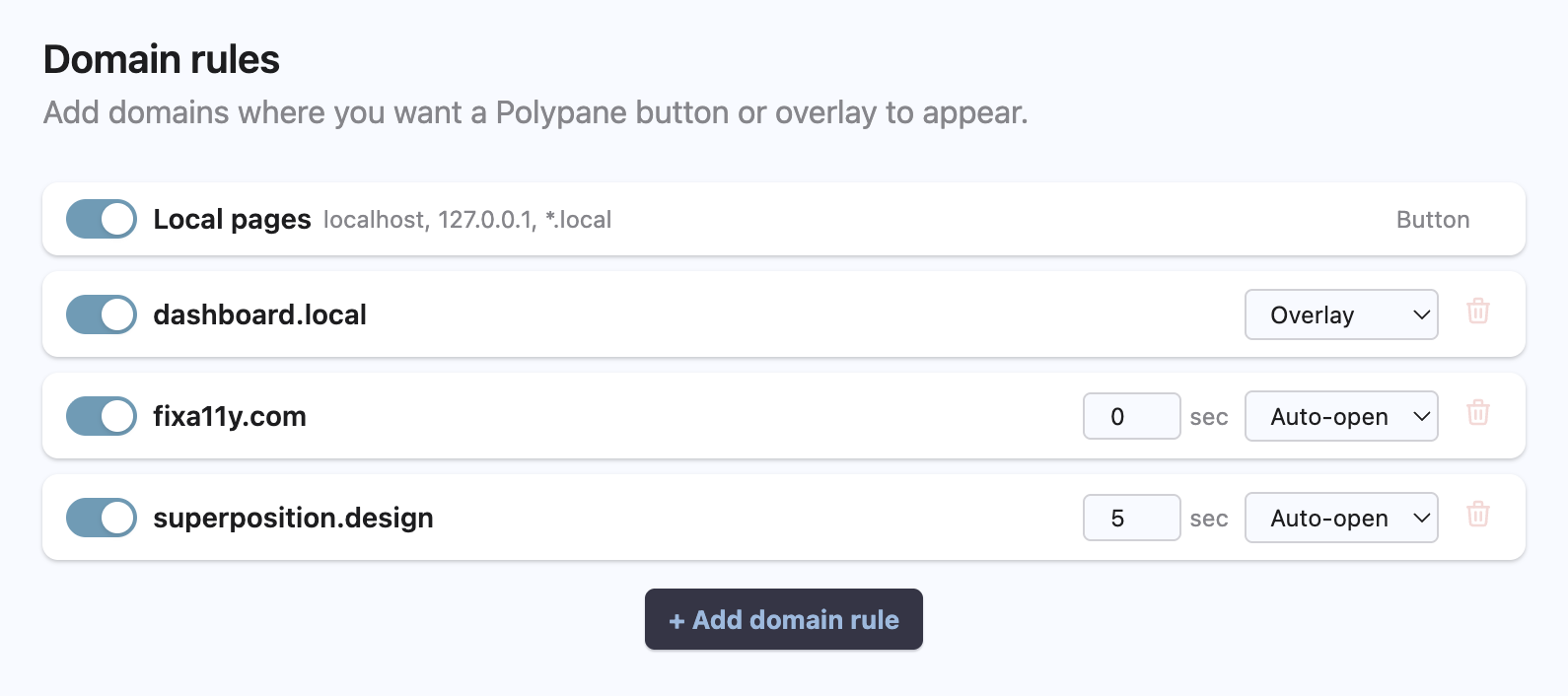
Configuring domain rules
Domain rules can be configured in the extension options. Getting to them varies per browser:
- Chrome & Chromium-based browsers: right-click the extension icon and select "Options"
- Firefox: right-click the extension icon and select "Manage Extension", then click the three dot menu and then click "Preferences"
- Safari: right-click the extension icon and select "Manage extension" and then click "Settings"
This options page also has general information about the extension, including the default available options and a link to this documentation.
Local domains
By default we add a floating Polypane button to all localhost-served pages. To turn this off, toggle it off in the extension options or right-click the extension icon and uncheck "show button on local pages".
Any more specific domain you add as a domain rule (like localhost:4321) will override the default local domains rule.
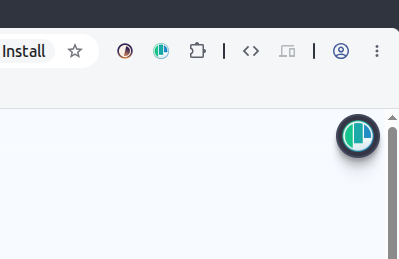
This feature is a helpful reminder when a dev server automatically opens a page in your browser, making it easy to move to Polypane. You can also configure your device to always open Localhost in Polypane.
If the icon is in the way you have two options:
- Click the arrow to slide it out of view. This leaves a small tab that you can click to show the icon again.

- Right-click the extension icon to set the button position to one of the other corners of the page.
To hide the localhost reminder, right-click the extension icon and uncheck "show button on local pages".
Some browsers require you to give explicit permission for extensions to run on localhost pages. Those will give you a warning when installing the extension or with a warning icon next to the extension icon.
Have a question about Polypane?
Reach out via (real human) chat, Slack or our contact form:
Contact SupportBuild the way you already build, without missing anything.
Free 14 day trial, no credit card needed.
- 1 Create your account. Takes a minute.
- 2 Download the app. For Windows, Mac & Linux.
- 3 Build your next project with Polypane